Convert Images to Vectors Online
Every curve,
carefully traced.
Vectorize images from PNG, JPG, GIF, and WebP to clean SVG, PDF, EPS, and DXF vectors online. A very meticulous robot fits real circles, crisp corners and smooth curves, so you get a print ready result right away.
Drop an image to vectorize
or paste with
PNG · JPG · GIF · BMP · WebP → SVG · PDF · EPS · DXF
Free interactive preview. Download only when you're happy.
Building an app? See the API
Not just a trace. Real geometry.
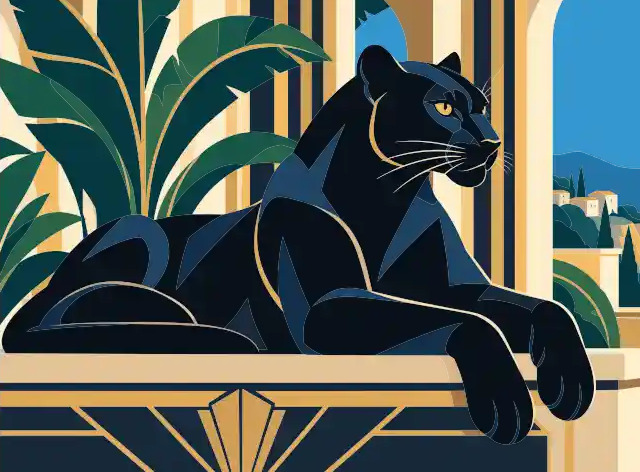
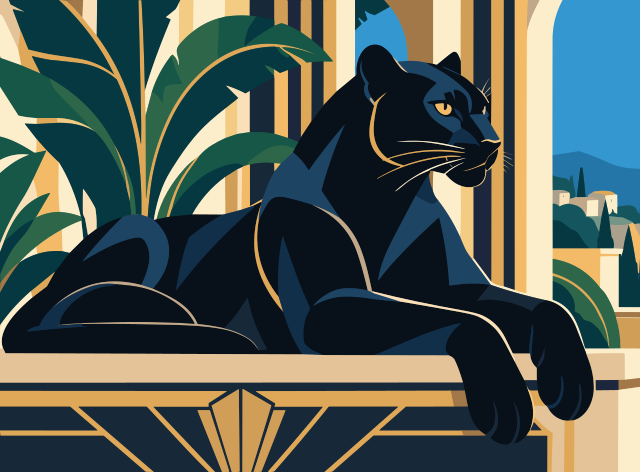
Ordinary auto-tracers outline blocks of pixels, which leaves jagged edges and piles of anchor points. Vectorizer.AI rebuilds the shapes your image was drawn with.
Whole shapes
Circles, ellipses, rounded rectangles and stars are fitted as real shapes, alongside lines, arcs and Bezier curves, so outlines stay true and easy to edit.
Fewer, better anchor points
Every corner is modeled and every curve is faired, so you get clean paths instead of node soup to tidy up by hand.
Shapes that fit together
Neighboring shapes share their boundaries exactly in our Vector Graph, so colors meet without slivers or overlaps.
How It Works
-
DROP
Drag and drop, paste, or pick an image. Nothing to install.
Bitmap images, such as JPEGs and PNGs, are a grid of colored pixels. We turn them into shapes.
-
PREVIEW FOR FREE
We fit shapes, curves and corners to your pixels in seconds.
Then inspect the full result for free: zoom in, compare it with the original, and adjust the palette until it's right.
-
DOWNLOAD
Download when you're happy, with presets for editing, cutting and engraving.
We support SVG, EPS, DXF, and PDF vector output, and "cleaned up" PNG pixel output.
Made for the way you work
Whatever you make, the result is ready for the next step.
SVG · EPS · PDF
Logos & brand archives
Rebuild pixelated logos, old scans and email-sized artwork as scalable master files in EPS, PDF or SVG.
SVG · EPS · PDF
AI-generated art
Turn images from Midjourney, DALL·E, Stable Diffusion or Flux into editable vector illustrations, icons, stickers and t-shirt designs.
SVG · DXF
Cricut, vinyl & screen printing
Turn a low-resolution JPEG into a multi-color SVG cut file with sharp corners and solid shapes, ready for weeding and pressing.
DXF · SVG
Laser, CNC & engraving
Export DXF or SVG for software such as LightBurn. The Cutting & engraving preset draws outlines as thin strokes, and DXF options limit the curves to the types your machine software reads.
SVG · DXF · PDF
Sketches & line art
Digitize scanned pencil sketches, ink drawings and diagrams as clean, scalable line art.
API
Developers & pipelines
Vectorize at volume through the REST API, with official SDKs, a command-line client and an OpenAPI specification.
Vectorize Images Online
Vectorize images from PNG, JPG, GIF, and WebP to clean SVG, PDF, EPS, and DXF vectors online. AI-powered tracing for logos, illustrations, print, web, CAD, CNC, and design workflows.
Upload any raster image and convert it to scalable vector artwork in seconds. Our AI-powered image vectorizer turns pixels into editable shapes, with smooth curves, fine details, and clean colors for logos, illustrations, diagrams, sketches, and design assets. No software installation required - everything runs directly in your browser.
Start with common image formats like PNG, JPG, GIF, BMP, and WebP, then export practical vector formats including SVG, EPS, DXF, and PDF.
Whether you need to vectorize a logo, prepare artwork for print, convert images for web use, or create DXF paths for CAD and CNC workflows, Vectorizer.AI produces clean, editable vector files optimized for professional work.
Maintain resolution independence and reduce file size while improving visual clarity across all screen sizes and in print.
Full Featured
-
Deep Vector Engine
Building on our 15 years of experience in the field, we have created deep learning networks and classical algorithms that together form the core functionality of Vectorizer.AI.
More detail
We have trained the AI networks that underpin this service from scratch, and based on our own proprietary dataset.
-
Vector Graph
Our proprietary computational geometry framework lets us make automated edits and localized optimizations that are simply not possible with conventional vector image representations.
-
Full Shape Fitting
Going beyond simple Bezier curves, we fit complex whole geometric shapes where possible to get a perfect fit and unmatched consistency.
More detail
We support fully parameterized circles, ellipses, rounded rectangles, and stars, all with optionally rounded corners and arbitrary rotation angles.
-
Curve Support
In addition to whole geometric shapes, vector shapes can be built from straight lines, circular arcs, elliptical arcs, and quadratic and cubic Bezier curves.
More detail
When modeling generalized curves, most vector graphics software apps try to simplify things to contain only cubic Bezier curves, a convenient but limited approximation. Vectorizer.AI supports the full range of curve types and uses them where appropriate.
-
Clean Corners
Shape outlines often consist of straight or smoothly varying sections separated from one another by discrete corners.
More detail
We analyze, model, and optimize every corner in the Vector Graph to craft results that are more natural than other vectorizers.
-
Corner Control
Our Corner Control workspace lets you choose which modeled corners should be sharp or rounded, and adjust the size of the corners that remain rounded.
More detail
A fast live preview lets you pan and zoom around the result before applying your changes.
-
High Performance
Nobody likes to wait.
More detail
We respect your time, so we make sure we are fully utilizing state of the art GPUs for deep learning, and run carefully tuned and massively parallel classical algorithms on multi-core CPUs to bring you the best vectors in the industry ASAP.
-
Symmetry Modelling
Symmetry is everywhere in nature and especially in design.
More detail
We detect and model mirror and rotational symmetries in your image to produce more accurate and more consistent results.
-
Adaptive Simplification
Not all boundaries between shapes in raster images are equally well supported by the pixel data.
More detail
Faint and indistinct boundaries are automatically simplified to reduce their complexity in the output, leading to more pleasing results.
-
Background Removal
Remove the background automatically, then click any shape to keep it or take it out.
More detail
Color mode removes whole colors at once, with suggestions taken from the background it found.
-
Region Editing
Recolor, merge or remove individual shapes in the result.
-
Palette Control
Our system automatically detects the number of palette colors present in your input image.
More detail
But if we get it wrong, or if you simply prefer a different number of colors, you can adjust the palette size to your liking.
-
Sub-Pixel Precision
We tease out features that are less than a pixel wide, and place boundaries according to the anti-aliasing pixel values. Details matter.
-
Fully Automatic
No user input is required to produce the result.
-
Image Types
While originally designed for logos and other rasterized vector art, the algorithm also works really well on scans or photos of sketches and other drawn artwork, as well as photographs.
-
Pre-Crop
Since we have a maximum allowable resolution, we let you make the most of it by cropping out the portion of your bitmap that you wish to vectorize.
More detail
Only the cropped area counts against your resolution limit, letting you maximize the quality of the result.
-
Full Color & Transparency
We support full 32-bit color, including the alpha channel, which was incorporated as a first-class concept right from the start.
More detail
Partially transparent areas and anti-aliasing are all fully supported.
-
Export Choices
We support SVG, EPS, DXF, and PDF vector output, and "cleaned up" PNG pixel output.
More detail
SVG is the most flexible and widely supported format, and is the default. Our full-featured export options allow you to control how shapes are drawn, how they are grouped, and a number of other format-specific options.
FAQ
Is Vectorizer.AI free?
Uploading and previewing are free, for as many images as you like. Downloading the result needs a subscription, except for our example images, which you can download for free.
Can I make cut files for laser cutters, Cricut and CNC?
Yes. Download DXF or SVG, and choose the Cutting & engraving preset to get outlines drawn as thin strokes. For DXF you can also pick the curve types your machine software supports.
How is this different from auto-trace in design software?
Built-in auto-trace outlines regions of pixels, which tends to produce wobbly edges and far more anchor points than the artwork needs. We use AI to read the image and then fit real geometry: whole shapes, clean corners, and curves that neighboring shapes share exactly.
What makes Vectorizer.AI stand out?
The AI. We've been working in this space for more than 15 years and adding Deep Learning AI has been a game changer. It is able to tease out details that traditional methods miss, and it makes sensible guesses when the pixels are a mess. We developed the Deep Learning models for this product fully in-house, and they are trained on our own proprietary dataset.
Beyond the AI there's a lot of things we do to clean up and improve the output of the AI vectorizer. This includes fitting whole geometric shapes, cleaning up corners, tangent matching, curve fairing, and many more. Our Vector Graph allows us to make these changes while keeping neighboring shapes perfectly aligned, a common pitfall for other image vectorizers.
When you are looking for an online tool to help you convert a JPG or PNG to vector, you will find a number of options on the web. Most of them are based on the same old algorithms that have been around for decades, and they frankly don't work very well. Vectorizer.AI is a new approach to vectorization, and the results speak for themselves.
What file formats can I upload and export?
What is the maximum image size?
The max image pixel size is 3 megapixels. The max image file size is 30 megabytes.
Does it work with transparent images?
We support full 32-bit ARGB input, so both full and partial transparency work well.
What are vector images useful for?
Vector images are composed of geometric shapes, and can be scaled to any size without loss of quality. They are commonly used for printed graphics, and increasingly for web graphics, now that high-DPI screens are becoming the norm and browser support for SVG images has become ubiquitous. They are also necessary for some types of printing processes, such as laser engraving, vinyl cutting, and screen printing.
Vector graphics are also useful because they can be easily edited and changed in a vector editor. In contrast, bitmap images are difficult and time consuming to edit because the graphics present in the image have been flattened down one or more layers of pixels. Editing pixels is tedious, it is easy to make mistakes, and the process often leaves small defects or artifacts behind.
Will it work on my images?
Most likely, yes. However, as always, the devil is in the details. That is why we provide you with a free, interactive preview so that you can see what you're going to get before you buy.
Does this work on AI-generated images?
Yes, in fact they seem to be a popular category, and we've been pleased to see how well our algorithm works on those images!
Will the results work with my software?
Our results follow the respective file format standards, and work with all standards-compliant readers.
That said, not all vector software is fully standards compliant. We therefore offer a host of download options that allow you to customize the output to maximize compatibility. For example, you can control the file format version, the types of curves that are used, and much more.
We also let you download the result from any of our example images for free so that you can try them out with your software before you buy.
Is there a difference between vectorizing and embedding?
Yes, there is a huge difference between vectorizing a bitmap and just embedding it in a vector file.
The process of automatically converting bitmap images into vector art is called a variety of things, including vectorizing, vectoring, tracing, bitmap to vector, raster to vector, convert to vector, and probably many others. This process involves detecting the shapes in the image, fitting curves to them, and exporting the result as a vector file. The end result does not contain any pixel data and can be scaled to any size without loss of quality.
But vector files can also just contain copies of bitmaps inside of them, and putting a bitmap into a vector file is called embedding. Some services just embed, but Vectorizer.AI does actual vectorization.
Do you make any claims on the input images or vectorized results?
Our terms of service just grant us the rights we need to deliver the service to you, and to improve our products. We don't claim any rights to the vectorized results, and we won't share your images with third parties unless you explicitly authorize us to do so.
Please see our Terms of Service for more details.
What are your data retention policies?
Right now, we retain uploaded images and results for 24 hours, and permanently delete them shortly thereafter. Please note that our data retention policies may change over time, and this current policy does not bind us in the future, or require your affirmative consent to change.
Can I use your output for machine learning training?
No, you may not use the output of our service for training machine learning models, including deep learning models. We view this as a form of reverse engineering, and it is explicitly prohibited by our terms of service. If you are not sure whether your intended use is allowed, please reach out and we'll be happy to clarify.
How much does it cost?
Ready to vectorize your first image?
Free preview. Nothing to install.


